








Creating a productive home workspace is essential in today’s world, where many of us split our time between offices and home or work entirely remotely. A well-designed workspace can help improve your concentration, reduce stress, and make working from home more enjoyable. Here are some simple but effective tips to help you create a productive home workspace.
1. Choose the Right Location
Finding the best spot in your home to set up a workspace is crucial. Consider the following:
– Choose a quiet area with minimal distractions.
– Ensure the space has enough natural light, which can enhance mood and alertness.
– If possible, select a spot away from household traffic to reduce interruptions.
If you don’t have a separate room, a dedicated corner in a living room or bedroom can work well with proper organisation.
2. Invest in Comfortable and Ergonomic Furniture
Your comfort impacts how long you can work effectively. Key points include:
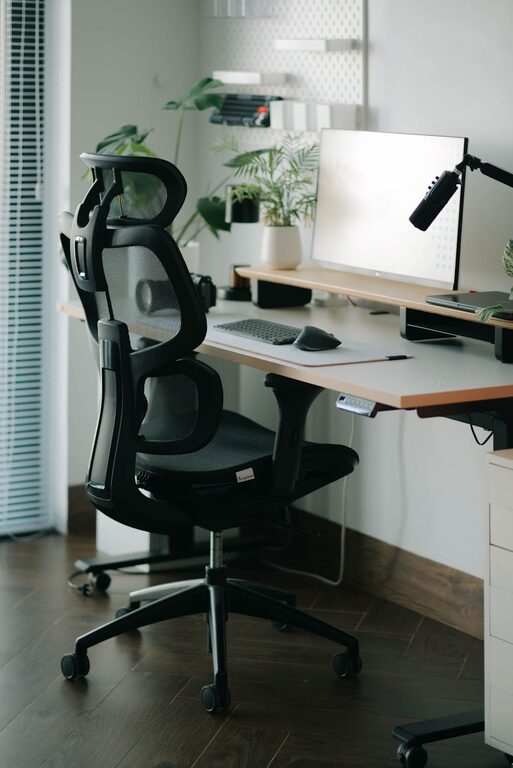
– Use a supportive chair with adjustable height and backrest.
– Select a desk that suits your height and provides enough surface area for your equipment.
– Consider accessories like footrests or monitor stands to improve posture.
Ergonomic furniture helps prevent strain and fatigue, contributing to long-term wellbeing.
3. Organise Your Workspace Efficiently
A cluttered desk can hamper productivity. To keep things tidy:
– Use storage solutions such as shelves, filing trays, or drawers.
– Keep only essential items on your desk.
– Regularly declutter and file away paperwork.
An organised space helps you find what you need quickly and maintains mental clarity.
4. Manage Lighting Wisely
Good lighting is vital for reducing eye strain and maintaining energy levels.
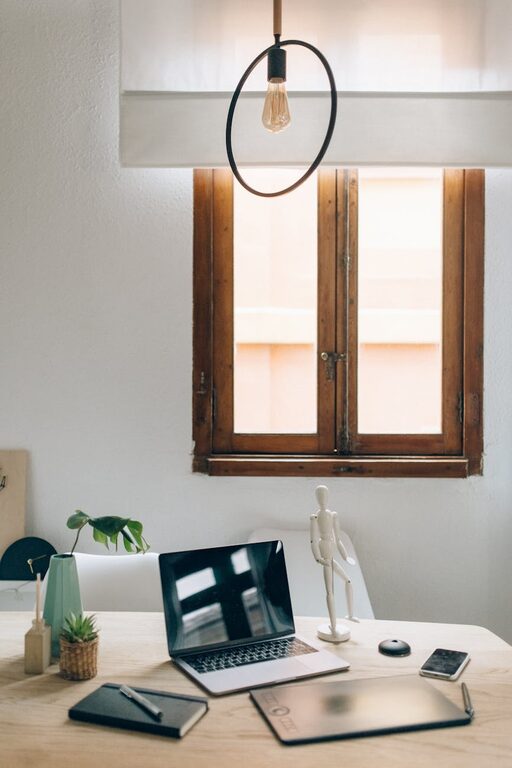
– Position your desk near a window for natural light.
– Supplement with adjustable desk lamps for focused lighting.
– Avoid harsh overhead lights or glare on screens.
Consider warm light bulbs for a cosy atmosphere or daylight bulbs to mimic natural light.
5. Minimise Noise and Distractions
Background noise and interruptions can break your concentration. To reduce these:
– Use noise-cancelling headphones or play soft instrumental music.
– Inform household members of your work hours to limit disturbances.
– Use “do not disturb” signs or signals if appropriate.
Creating a quiet environment supports better focus.
6. Personalise Your Workspace
Adding a personal touch can make your workspace inviting and motivating.
– Include plants to improve air quality and add calm.
– Display photos or art that inspire you.
– Choose colours and décor that you find uplifting but not distracting.
A personalised space can boost mood and creativity.
7. Utilise Technology to Support Productivity
The right tools can streamline your work.
– Ensure reliable internet connectivity.
– Use cable organisers to keep wires tidy.
– Invest in good-quality peripherals such as keyboards and mice.
– Use apps and software for task management and time tracking.
Keeping technology organised and up-to-date supports smooth work flow.
8. Set Clear Boundaries and Routines
Separating work from home life helps maintain balance.
– Create a daily routine with fixed start and finish times.
– Use your workspace only for work-related activities.
– Take regular breaks to avoid burnout.
Clear boundaries help your brain switch between “work” and “rest” modes.
9. Keep Essentials Within Reach
Efficiency improves when frequently used items are easily accessible.
– Store stationery, chargers, and notebooks nearby.
– Have a water bottle or cup to stay hydrated.
– Keep a small bin for rubbish to avoid leaving clutter.
Having essentials at hand reduces interruptions to your workflow.
10. Regularly Reassess Your Setup
Your needs may change over time, so periodically review your workspace.
– Adjust your arrangement based on comfort and productivity.
– Add or remove items as necessary.
– Experiment with different layouts or lighting options.
Continuous improvement keeps your workspace aligned with your work style.
—
By applying these simple tips, you can create a home workspace that supports concentration, comfort, and productivity. Remember, the key is to tailor your setup to your personal preferences and work habits. A well-thought-out workspace makes working from home a positive experience and helps you perform at your best.