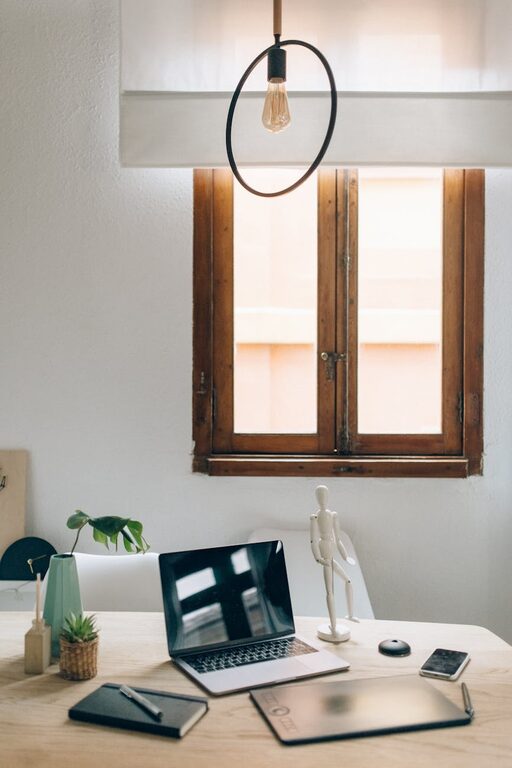









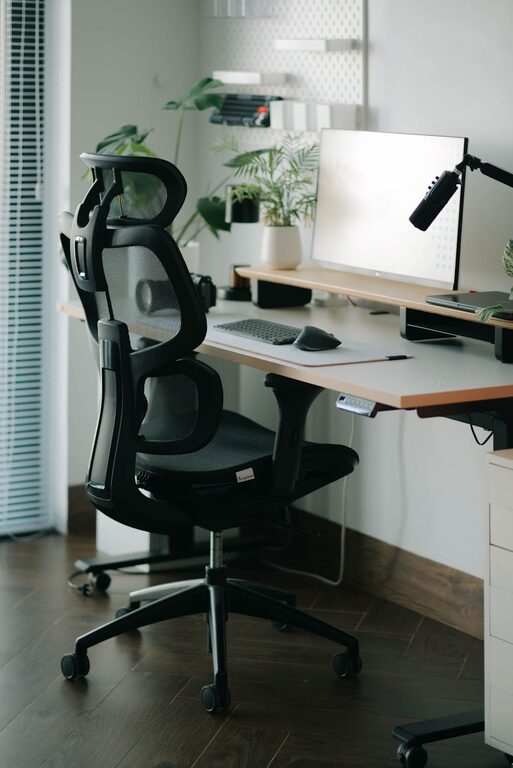
Creating a productive and comfortable home workspace is essential for anyone working remotely or spending extended periods at home. A well-designed workspace can improve focus, reduce stress, and help maintain a healthy work-life balance. Whether you have a dedicated room or a small corner of your living area, these tips will guide you in setting up a space that encourages productivity while ensuring comfort.
Choose the Right Location
Selecting the ideal spot for your workspace is the first step. Look for a quiet area with minimal distractions, good natural light, and enough space to accommodate your work essentials. If possible, avoid working from your bed or sofa, as these spaces can blur the lines between rest and work.
Consider These Factors:
– Proximity to natural light sources such as windows
– Away from high-traffic areas in your home
– Good ventilation and comfortable room temperature
– Privacy to help you focus during calls or deep work
Invest in Ergonomic Furniture
Comfort is key to staying productive without straining your body. An ergonomic chair with lumbar support helps prevent back pain, while a desk at the right height encourages good posture. Avoid slouching or hunching over your laptop by setting up your monitor at eye level.
Ergonomic Workspace Essentials:
– Adjustable chair with back support
– Desk at elbow height when seated
– Laptop stand or external monitor for eye-level viewing
– External keyboard and mouse to reduce wrist strain
– Footrest if your feet don’t comfortably reach the floor
Organise Your Workspace Efficiently
Clutter can easily distract and stress you. Keep your workspace tidy and organised by using storage solutions that suit your needs. Filing trays, drawer organisers, and shelves can help store documents and office supplies neatly.
Tips for Organisation:
– Use cable organisers to manage cords neatly
– Keep frequently used items within arm’s reach
– Declutter your desk at the end of each day
– Label storage boxes and folders for easy access
Maximise Lighting for Comfort and Focus
Proper lighting reduces eye strain and helps maintain alertness. Natural daylight is ideal but can be supplemented with quality artificial lighting. Avoid glare on your screen by positioning your monitor perpendicular to windows or using adjustable blinds.
Lighting Suggestions:
– Position your desk near a window for daylight
– Use a desk lamp with adjustable brightness and direction
– Choose bulbs with a daylight or cool white colour temperature
– Avoid overhead lighting that creates shadows or glare
Personalise Your Space
Adding personal touches can make your workspace inviting and motivate you throughout the day. Choose colours and decor that inspire calm and focus without cluttering the area.
Simple Personalisation Ideas:
– A favourite photo or artwork
– Indoor plants to improve air quality and mood
– Motivational quotes or a vision board
– Comfortable cushions or a blanket for cosy breaks
Manage Noise Levels
Noise distractions can disrupt concentration, especially in busy households. Consider strategies to minimise unwanted sounds and create a peaceful environment.
Noise Management Tips:
– Use noise-cancelling headphones or earplugs
– Play soft background music or ambient sounds if it helps focus
– Soundproof your space using rugs, curtains, or acoustic panels
– Communicate your working hours to family or housemates
Establish Boundaries and Routine
Working from home can blur the lines between work and personal time. Setting boundaries helps you maintain productivity and avoid burnout.
Ways to Set Boundaries:
– Designate a specific area solely for work purposes
– Create and stick to regular working hours
– Take scheduled breaks to stretch and rest your eyes
– Communicate your availability clearly to colleagues and family
Keep Technology in Check
Reliable technology supports productivity, but technical issues can cause frustration. Ensure your devices and internet connection are up to the task.
Technology Tips:
– Invest in a fast, stable internet connection
– Use a quality headset or microphone for calls
– Keep software and antivirus programs up to date
– Have backup solutions for important files and data
Prioritise Good Air Quality and Temperature
Comfort extends beyond just furniture and lighting. Fresh air and a comfortable temperature help you stay alert and healthy.
– Open windows when possible for ventilation
– Use air purifiers if indoor air quality is poor
– Adjust your heating or cooling to a comfortable level
– Incorporate plants that help purify the air
Final Thoughts
Creating a productive and comfortable home workspace doesn’t require a full room makeover. Small changes like improving lighting, investing in ergonomic furniture, and organising your essentials can make a significant difference in your work-from-home experience. Focus on designing a space that supports your work style and wellbeing, and you’ll find yourself more motivated each day.
Remember, the key is to create a space that feels inviting but distinct from your relaxation areas, helping you maintain focus while enjoying the comfort of working from home.